Wikipedia
- 4.3
- Rating
- 50.00M
- Installs
- Free
- Price

 Analysis by App-foxy
I use Wikipedia most often when I need a clear starting point rather than a final answer. The official mobile app turns that habit into something more practical: I can look up a person, place, scientific idea, historical event, or unfamiliar term without opening a browser and fighting through several tabs. It belongs to the Books & Reference category, is free to use, and is suitable for everyone, which makes it an easy recommendation for students, curious readers, travelers, and anyone who regularly checks facts on the go.
What makes the app worth considering is not simply access to a huge encyclopedia. The better experience comes from how quickly it moves me from a vague question to useful background, related subjects, and sources for further reading. At the same time, it is still Wikipedia: the quality and depth of an article can vary, and the app does not replace careful checking when the information matters professionally, medically, legally, or financially.
How the current Wikipedia app feels in everyday use
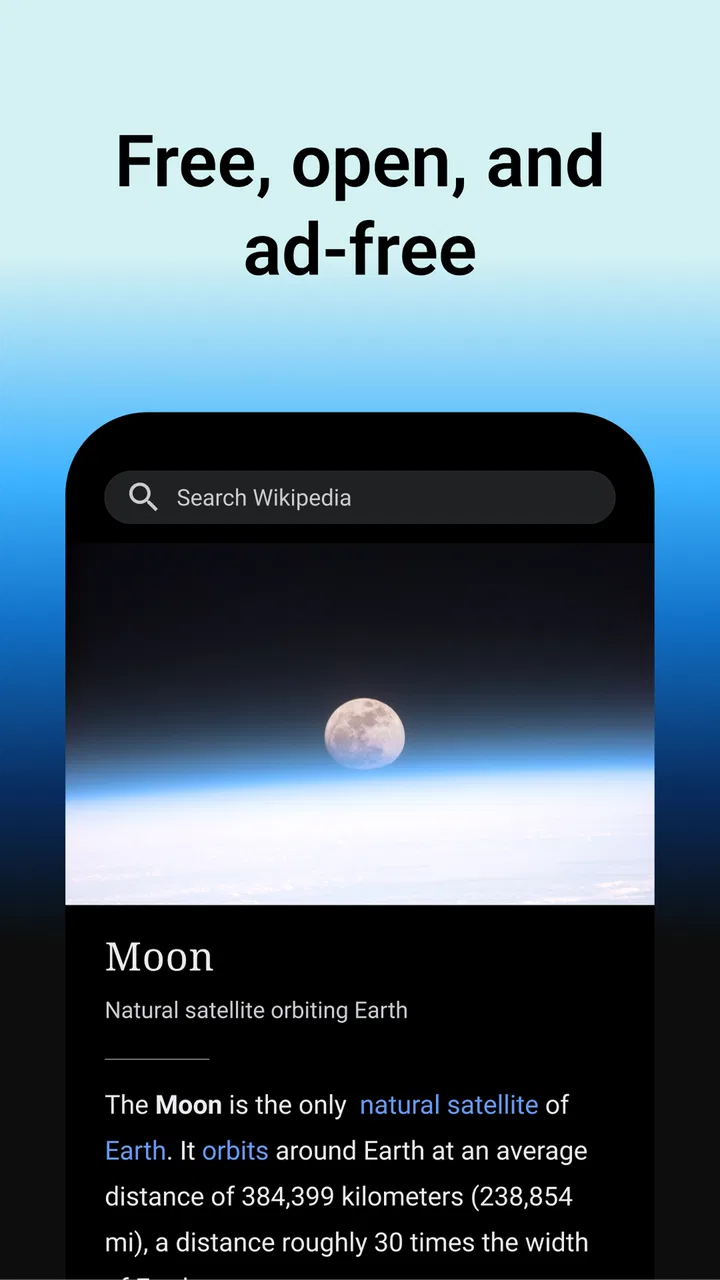
The app is developed by the Wikimedia Foundation, and its purpose is refreshingly focused. I open it, search for a topic, and read. There is little of the distraction found in many modern apps. The main value is the encyclopedia itself, presented in a format that feels more comfortable for a phone than a normal desktop page.
You May Also Like

 AccuWeather: Weather Radar
AccuWeather Review: A Quick, Clear Forecast for Everyday Decisions
For everyday plans, the best forecast is the one you can understand quickly. AccuWeather makes rain timing, radar, and local conditions easy to act on, with a few trade-offs.

 Hill Climb Racing
Why Hill Climb Racing Still Turns Crashes Into One More Run
A tiny car, a bumpy hill and one more upgrade: Hill Climb Racing keeps resurfacing because its simple chaos makes every near-miss feel personal.

 AliExpress - Shopping App
AliExpress Makes Global Shopping Feel Personal, but Shoppers Bear the Risk
AliExpress turns a global marketplace into a pocket-sized discovery engine. Its reach is useful, its shopping loop compelling, and its trade-offs easy to miss.

 Lords Mobile: Kingdom Wars
Lords Mobile Is a Kingdom-Building Routine, Not a Quick Match
A case-by-case verdict on the building, battles, device demands, and social commitments that make Lords Mobile rewarding for some players and exhausting for others.

 PDF Scanner app - TapScanner
TapScanner Makes Paperwork Easier to Capture, Check, and Share
TapScanner makes scanning with a phone feel less like a rescue operation and more like a dependable step in getting work done. Its capture tools are useful, though not flawless.

 Block Blast!
 Shows How Much a Puzzle Game Can Leave Out
A quiet grid game shows why puzzle players increasingly value instant clarity, repeatable skill and low-pressure play—and where the genre still needs to catch up.
More From Our News Desk
View All News


That simplicity is especially useful when I am trying to answer a question quickly. If someone mentions a historical figure I do not recognize, I can search the name, skim the opening section, and follow a link when the background is unfamiliar. The same workflow works for technical vocabulary: I start with a definition, inspect the diagrams or sections that explain the concept, and then move to connected articles instead of beginning another search from scratch.
I also find the app more useful for planned reading than its minimal interface might suggest. A short visit can become a focused tour through a subject. For example, while reading about a city, I may move to its history, architecture, local transport, and notable institutions. Those internal links are one of Wikipedia’s strongest advantages because they expose relationships that a conventional search page often hides behind unrelated results.
The best way to use Wikipedia is as a map of knowledge, not as an unquestionable destination. I normally read the introduction first, check the article’s structure, and look at the references before relying on a specific claim. That habit matters because a polished paragraph can still need context, and a short article may not cover the part of a subject I actually care about.
Search is more powerful when the question is still vague
A useful but easy-to-miss strength is the app’s role in refining a search. When I only know part of a name or remember an approximate phrase, Wikipedia can help me identify the correct subject through suggestions and related results. This is different from searching the open web, where the first page may be dominated by advertising, social posts, or pages optimized for clicks.
I get the most from this when I search in the language I want to read and then use the article’s available language options when a subject is better covered elsewhere. That does not guarantee equal quality between language editions, but it gives me a practical way to compare terminology and discover alternate descriptions of the same topic.
Another useful workflow is to treat an article as a branching outline. I do not try to read every paragraph on a long subject. Instead, I scan the headings, open the sections relevant to my question, and follow only the links that explain a missing piece. This makes the app much less overwhelming than it first appears, particularly on a small screen.
Reading on a phone has real advantages
The mobile format works well for short sessions. I can read while waiting for an appointment, check a reference during a conversation, or prepare for a museum visit without carrying a laptop. The app’s age rating is Everyone, so it is also a sensible general-purpose reference tool for a family device, although younger readers still benefit from guidance about judging sources and separating established facts from disputed interpretations.
For study, I would use it during the early research stage. A student preparing a presentation can begin with the overview, collect vocabulary, identify important dates and names, and then move to the cited material or more specialized sources. This saves time because the student is not searching blindly, but it also prevents the common mistake of treating one encyclopedia article as the entire bibliography.
For travel, I like the app as a preparation tool rather than a complete guide. Before visiting a historical site, I can learn its context and recognize the people or events connected with it. On the trip itself, the usefulness depends on connectivity and the availability of the relevant material, so I would not make it my only source of directions, opening information, or urgent local advice.
What the latest version tells existing users
The current version is listed as 50569-r-2026-03-03, and the app supports Android 6.0 or later. Those details matter mainly for people using an older phone. If the device meets that requirement, the app remains accessible across a broad range of hardware rather than being limited to recent models.
A version number alone does not tell me that every part of the reading experience has changed, so I judge the current release by the fundamentals that matter most: whether searching feels direct, whether articles remain readable, and whether moving between related subjects is convenient. The app’s long presence on mobile suggests an established product rather than a new experiment, but I would still install updates normally because encyclopedia content and app behavior both benefit from ongoing maintenance.
For someone who already uses the mobile site, the decision is less dramatic. A browser is perfectly adequate for a single lookup, and it may be preferable if I want to keep the article inside an existing research session. The app becomes more attractive when Wikipedia is part of my daily routine and I want a dedicated reading space instead of another open browser tab.
There is also a practical distinction between content evolution and app evolution. Wikipedia articles can change as editors add sources, correct errors, or reorganize explanations, while the application provides the doorway through which I read them. In other words, installing the newest version does not turn every article into a newly written text. It gives me the current app experience while the encyclopedia continues to develop as a living reference.
Where it beats ordinary search and where it does not
Compared with a general search engine, Wikipedia is calmer and more coherent. A search engine is better when I need a current shop, a live timetable, a product page, or several competing viewpoints immediately. Wikipedia is better when I need a structured explanation of a topic and want to understand how its parts connect.
Compared with dedicated e-book or reference apps, Wikipedia offers much wider subject coverage and easier movement between topics. A specialist encyclopedia may provide deeper editorial consistency in one field, while a textbook may present a more carefully ordered lesson. I would choose those alternatives for formal study or expert work, but I would choose Wikipedia for orientation, discovery, and quick cross-disciplinary reading.
Compared with a browser shortcut, the app feels more intentional. I am less likely to lose the article among unrelated tabs, and the reading session stays centered on the reference material. The trade-off is that the browser gives me more flexibility for comparing Wikipedia with journals, official documents, maps, and other sources in the same view.
Its large community of users reflects that broad usefulness: the app has passed 50 million installs, with an average rating of 4.4 from about 694 thousand ratings. I see those figures as evidence of strong everyday appeal, not as proof that every reader will enjoy the interface or that every article will meet specialist standards.
Small habits that make the app more useful
My first tip is to search for the concept behind a question, not only the exact wording someone used. If a conversation includes an unfamiliar phrase, I try the phrase and then inspect the linked ideas around it. This often reveals the broader subject and prevents me from accepting a narrow interpretation too quickly.
My second tip is to use the table of contents as a filter. On long articles, I skip directly to the section that answers my question, then return to the opening paragraphs for context. This is faster than scrolling line by line, and it helps me notice whether the article separates history, criticism, technical details, and current developments.
My third tip is to check references when a claim affects a decision. I do not need to inspect every citation during casual reading, but I do look for them when researching health, politics, science, or a contentious event. If the subject is important, I continue to the original source or an authoritative organization rather than quoting Wikipedia as my final authority.
A fourth habit is to save a short list of related topics mentally or in my notes instead of copying an entire article. Wikipedia works best when it helps me build a research path. I record the names of key people, terms, and sources, then investigate those items separately. This turns a quick lookup into a more reliable research process without pretending that the app itself has done all the verification.
Who should use it and who should choose something else
I would recommend the app to readers who want a broad reference shelf in their pocket. It suits students beginning research, travelers learning context before a visit, families settling everyday questions, and lifelong learners who enjoy following one subject into another. It is also useful for writers and developers who need to clarify terminology before consulting more specialized material.
I would be more cautious about recommending it as the sole tool for exam preparation. It can explain a topic and expose gaps in understanding, but a course textbook, teacher’s materials, or specialist reference may match the required syllabus more precisely. The same applies to professional decisions: Wikipedia can help me understand the vocabulary, yet it should not be the only basis for medical treatment, legal action, investment, or safety instructions.
Readers who prefer long-form books may find the experience fragmented because articles encourage frequent jumping between subjects. That is a feature for exploration but a weakness for sustained argument. Likewise, people who need guaranteed editorial uniformity may prefer a curated reference work with a narrower scope.
The app is free, which removes the usual subscription barrier and makes experimentation easy. Still, free access does not remove the cost of attention: the abundance of links can pull me away from the original question. I sometimes set a specific goal before opening an article, such as “understand the definition and identify two reliable sources,” so that curiosity does not become an hour of unfocused browsing.
Limitations I notice during real use
The biggest limitation is uneven depth. Some subjects have detailed explanations, useful references, and clear organization; others are brief, technical, or difficult to interpret without prior knowledge. This variation is not a reason to avoid the app, but it means I should judge each article individually rather than assuming the same level of confidence everywhere.
Long pages can also be tiring on a phone. Headings and internal links make navigation manageable, yet dense passages, tables, and specialized notation are usually easier to understand on a larger screen. When I am doing serious research, I often use the app to discover the material and then continue on a tablet or computer.
Another limitation is that the app cannot decide what information is relevant to my exact situation. An article may describe a general principle while my question depends on location, date, personal circumstances, or a technical exception. I have to recognize that boundary myself and seek a more targeted source when the context demands it.
Finally, Wikipedia’s open, evolving nature can be confusing for readers who expect a fixed edition. Changes to an article may improve it, clarify it, or reflect a continuing dispute. When I need a stable academic citation, I record the article details and consult the cited publications rather than relying on a page that may continue to change.
My recommendation after using it as a daily reference
Wikipedia remains one of the most useful reference apps I keep available because it reduces the distance between a question and a structured explanation. Its strongest qualities are breadth, connected reading, and a focused mobile experience. The official app from the Wikimedia Foundation is free, rated for Everyone, and has earned a 4.4 average across roughly 694 thousand ratings, which matches my impression that it works well for a very wide audience.
I would install it on any compatible Android phone if I wanted a dependable first stop for unfamiliar subjects. I would not treat it as a replacement for primary sources, professional advice, textbooks, or current official information. That balance is the key to enjoying it: use the article to orient yourself, follow the references when accuracy matters, and let the linked subjects guide deeper learning.
For existing users, the current release is best understood as a continuation of a mature reference tool rather than a reason to change every reading habit. I would watch how future updates improve navigation, accessibility, and the handling of long or complex articles, while remembering that the real evolution also happens in the encyclopedia’s content. If you want a fast way to understand almost any topic and are willing to verify important claims, Wikipedia is an easy app to recommend. If you need a tightly edited, stable, specialist resource, I would pair it with something more focused instead of relying on it alone.
FAQs for Wikipedia
01What is the primary purpose of the Wikipedia app?
The Wikipedia app is designed to provide users with easy access to the vast repository of knowledge available on Wikipedia. It allows users to search and read articles on a wide range of topics, from historical events to scientific concepts, all from the convenience of their mobile devices.
02How does the Wikipedia app ensure the accuracy of its information?
Wikipedia relies on a community-driven model where volunteers edit and update articles. While this allows for a wide range of information, it also means that accuracy can vary. However, articles are often monitored and revised to improve reliability, and citations are provided for verification.
03Is offline reading available in the Wikipedia app?
Yes, the Wikipedia app offers an offline reading feature, allowing users to save articles for later access without an internet connection. This is particularly useful for users who want to access information while traveling or in areas with limited connectivity.
04Does the Wikipedia app support multiple languages?
The app supports a wide array of languages, reflecting Wikipedia’s global reach. Users can easily switch between languages to read articles in their preferred language, making it a versatile tool for non-English speakers or those learning new languages.
05Are there any costs associated with using the Wikipedia app?
The Wikipedia app is completely free to download and use. It operates on donations from users worldwide, allowing it to remain an ad-free platform. Users are encouraged to support Wikipedia financially if they find the app valuable and wish to contribute to its maintenance and growth.
Pros
- Comprehensive information source
- Regularly updated content
- Offline reading available
- Supports multiple languages
- User-friendly interface
Cons
- Can be edited by anyone
- Occasional misinformation
- Requires internet for updates
- Some articles lack depth
- Ads in free version

Wikipedia
Gallery